Google’s original motto used to be “Don’t Be Evil.” I would say along with the recent Gulf of Mexico fiasco, those days of Google not being evil are long gone. According to clean.email (1) there are over 2.5 billion active Gmail users worldwide. Google doesn’t make it easy to turn off data tracking. It’s obviously better if you can delete your account. We have deleted a few. Gmail may be harder to delete than switching your bank account. In this post we share screen shots how to turn off data tracking on all your Google services. You have to repeat this for every Gmail account you have.
Through the Gmail IOS app – Step 1
First step is to log in to Gmail or open the Gmail app on your phone. It’s easier on the mobile app compared with going through a desktop browser.
Step 2 – Click the menu bar

Step 3 Scroll down to and enter Settings

Step 4 – Click the small arrow on the right of your email
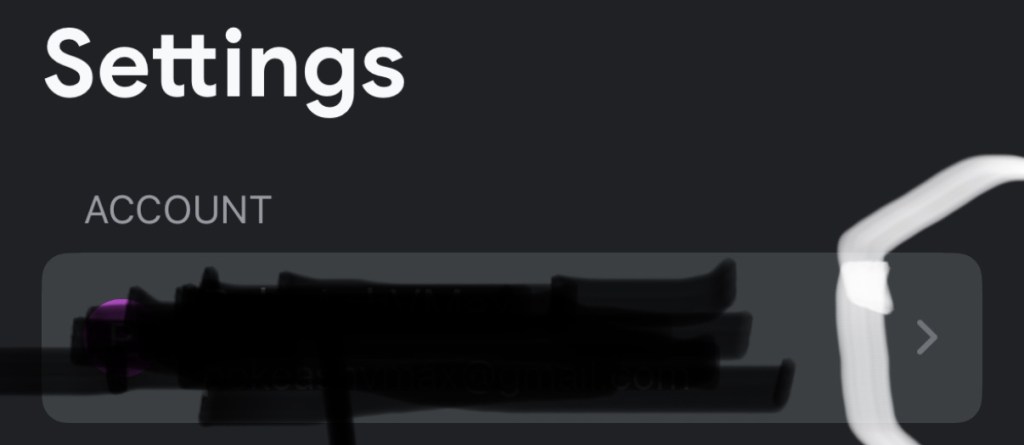
Step 5 – Click Your info, privacy and security

Step 6 – Select the Data & Privacy tab

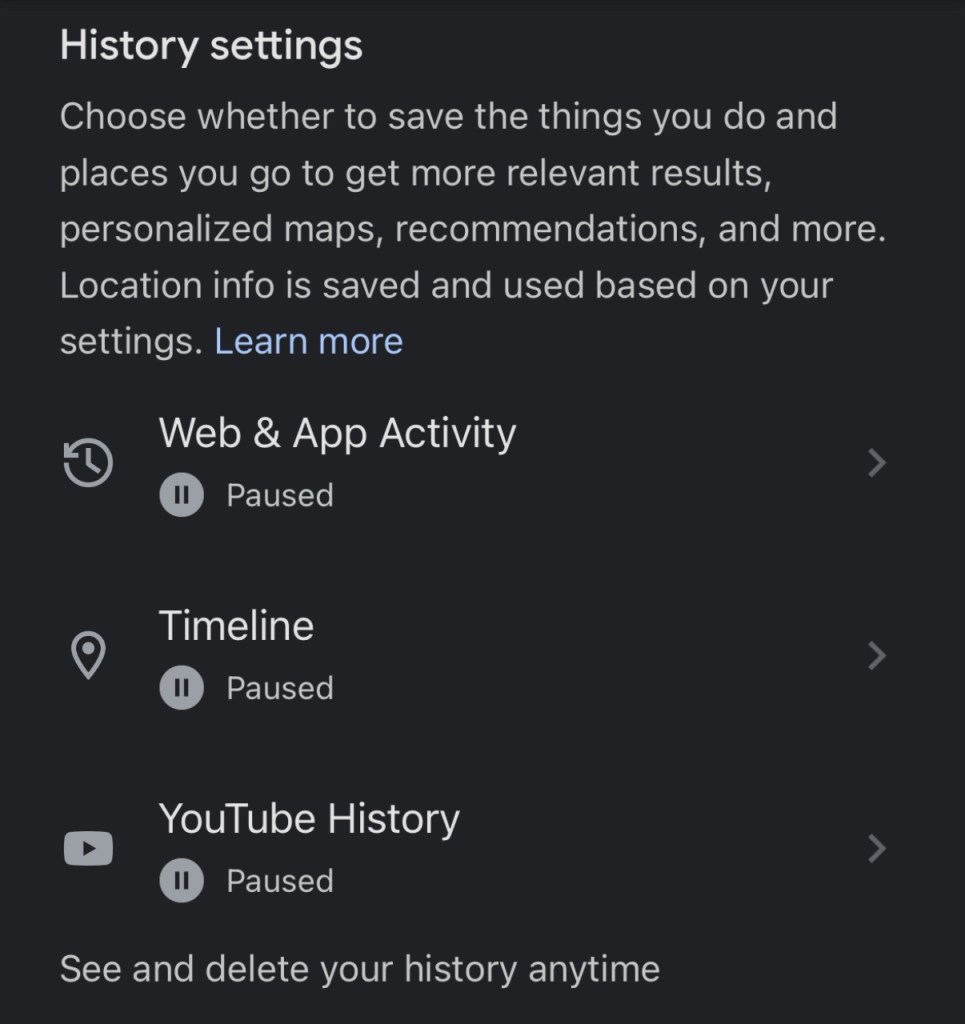
Step 7 – Pause history on everything or nothing or whatever you want
Scroll down to History settings. You can choose what you want to Pause. Each item you pause will allow you to delete any info associated with your account. YouTube History has to be on to comment or like YouTube videos. We decided to pause and delete everything.
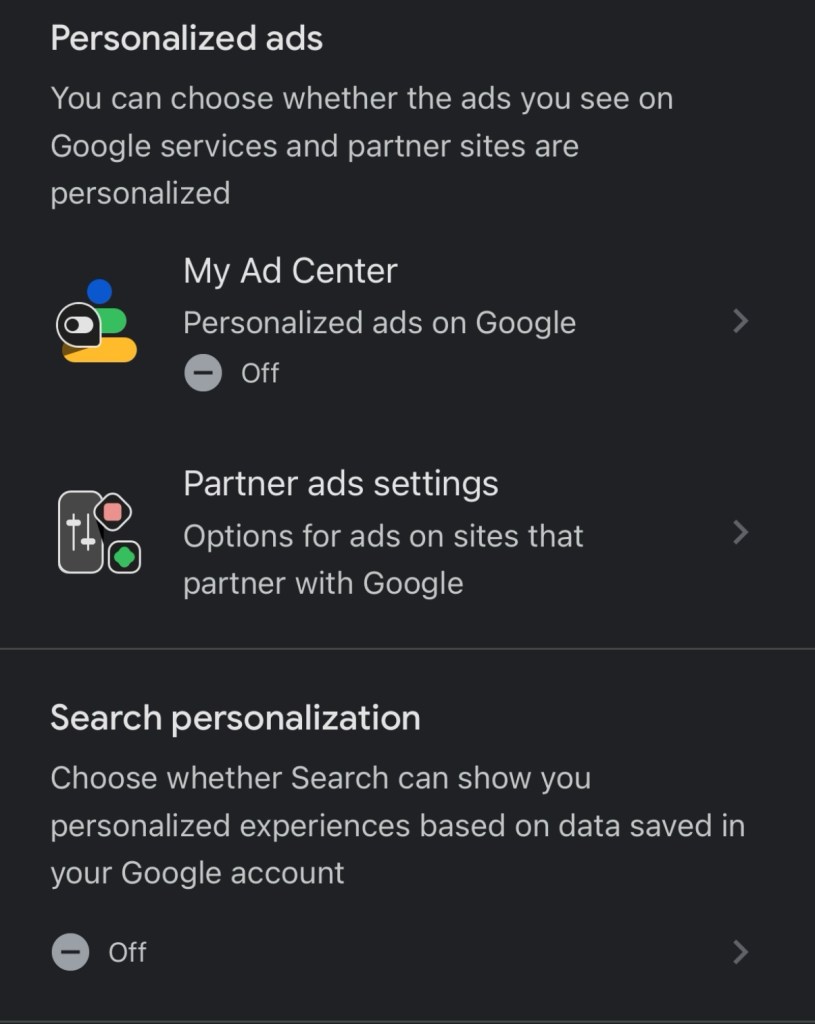
Step 8 – Turn off Personalized ads and Search Personalization
Scroll down further and turn off Personalized ads and Search Personalization. I miss being a kid. We would watch ads on tv and use the ad breaks to run to the bathroom. No annoying personalized ads that track everything you do, every physical location you visit, and every search engine query.
Step 9 – Turn off Location Sharing
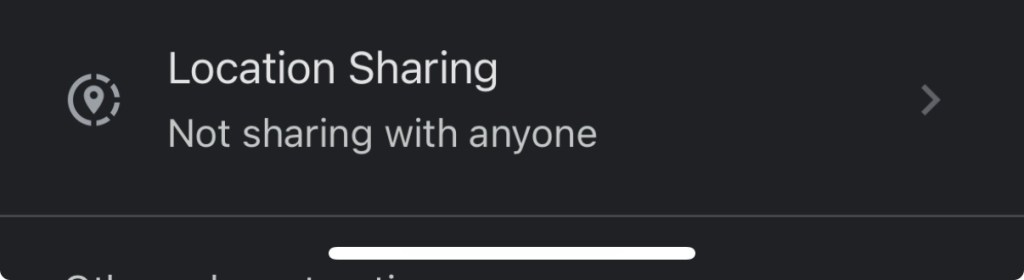
You can continue scrolling down and see what Google services you are using and which accounts you have given access to your Google account.
When we first did this exercise years ago, we found almost 7 years of YouTube history saved. Every video played or seen by our young child was captured. It’s really creepy.
“A few years ago, users of Internet services began to realise that when an online service is free, you’re not the customer. You’re the product,” wrote Cook, rehashing a frequently used Internet maxim.
Tim Cook in 2014 before he bent the knee to an orange caligula
Obvious to all, which helps its popularity, Gmail is very free. We are the product.
In our next piece, we’ll show you how to switch your search engine away from Google to anyone else.
What did you discover when you went through all your Google data? Let us know in the comments.
Sincerely yours,
smilingdad
Copyright ©2017-2025 smilingdad. Copyright ©2023-2025 PokeAshVMax. All Rights Reserved. The content produced by this site is for entertainment purposes only. Opinions and comments published on this site may not be sanctioned by and do not necessarily represent the views of smilingdad, its owners, sponsors, affiliates, or subsidiaries.
(1) Global Gmail User Base. clean.email. https://clean.email/blog/email-providers/gmail-statistics
 smilingdad